Explore
Every M3 table and MI transaction, one search away.
Explore is the fastest way to answer a question about your M3. Open any table and filter it, or run any MI transaction with its real inputs and outputs, live against the environment you are signed in to.
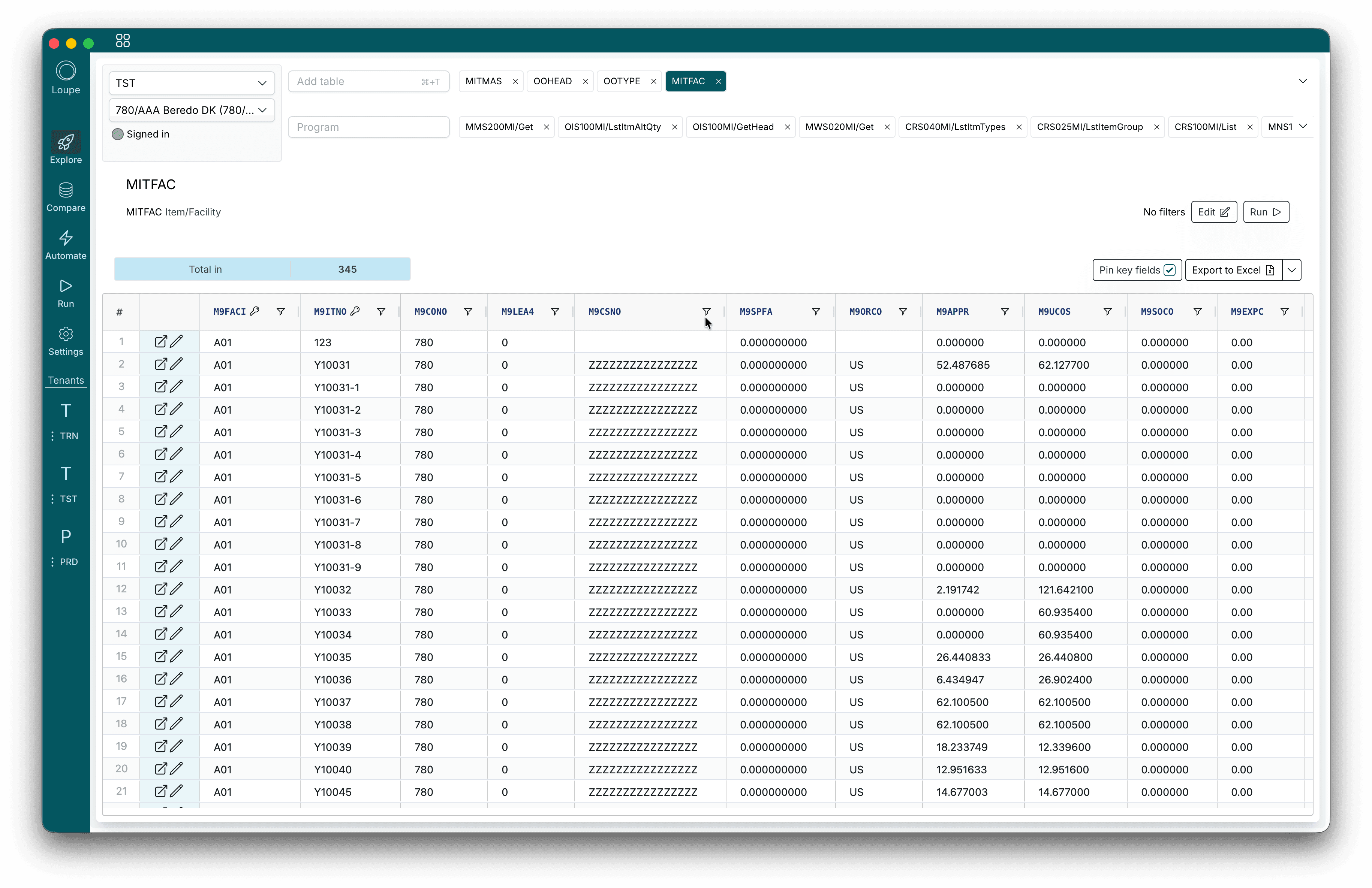
Tables
A table browser for M3
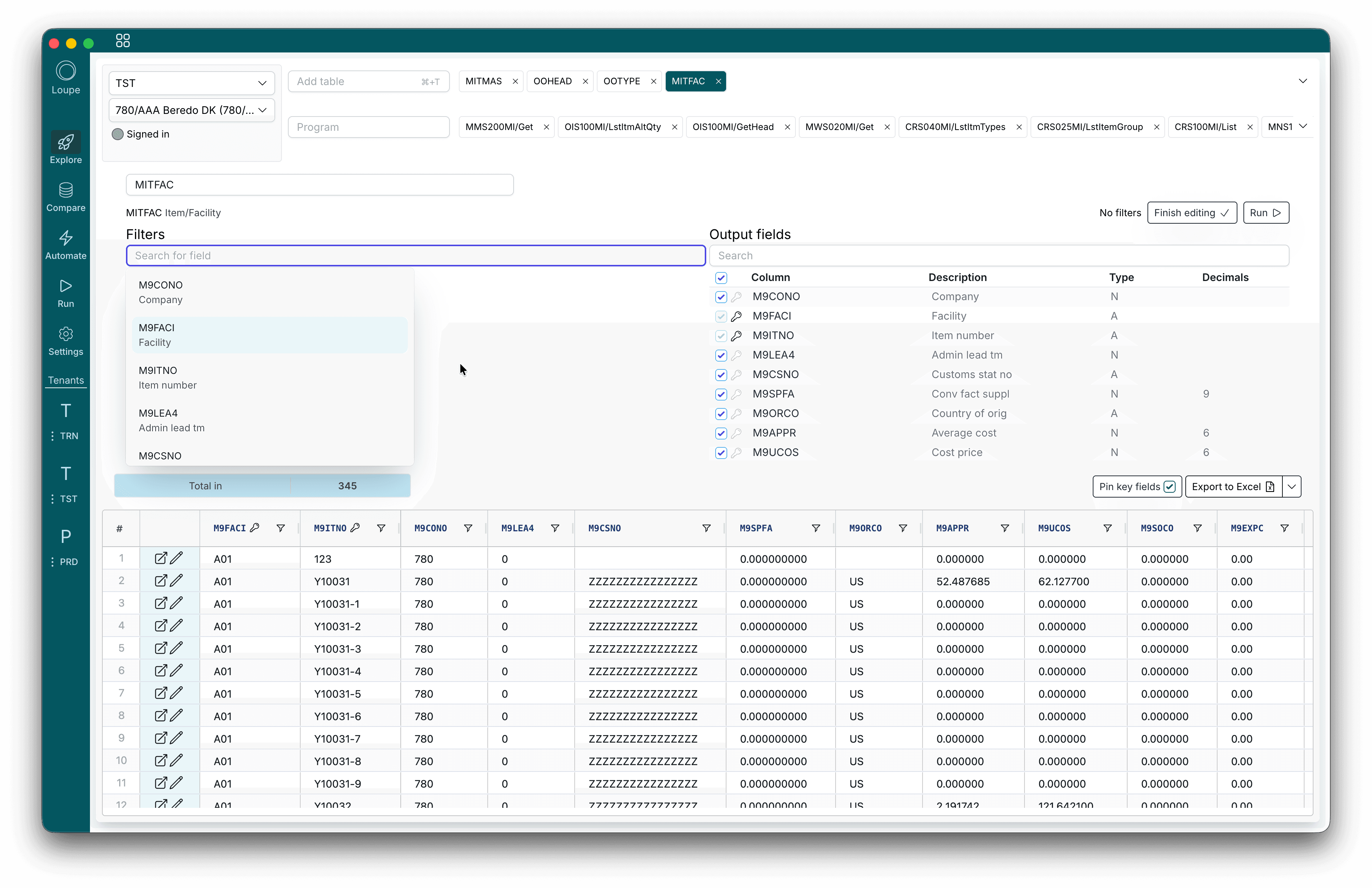
Type a table name like MITMAS or OOHEAD, and the rows are on screen. No query to write, no report to request.
- Filters on any field. Search the fields by code or description, and combine conditions.
- Only the columns you want. Pick the output fields, and pin the key fields so they stay in view.
- Open it in M3. Jump from any row to its record in M3, to look at it or change it.
- Export. Send the result to Excel or CSV in one click.
APIs
An MI API explorer that remembers
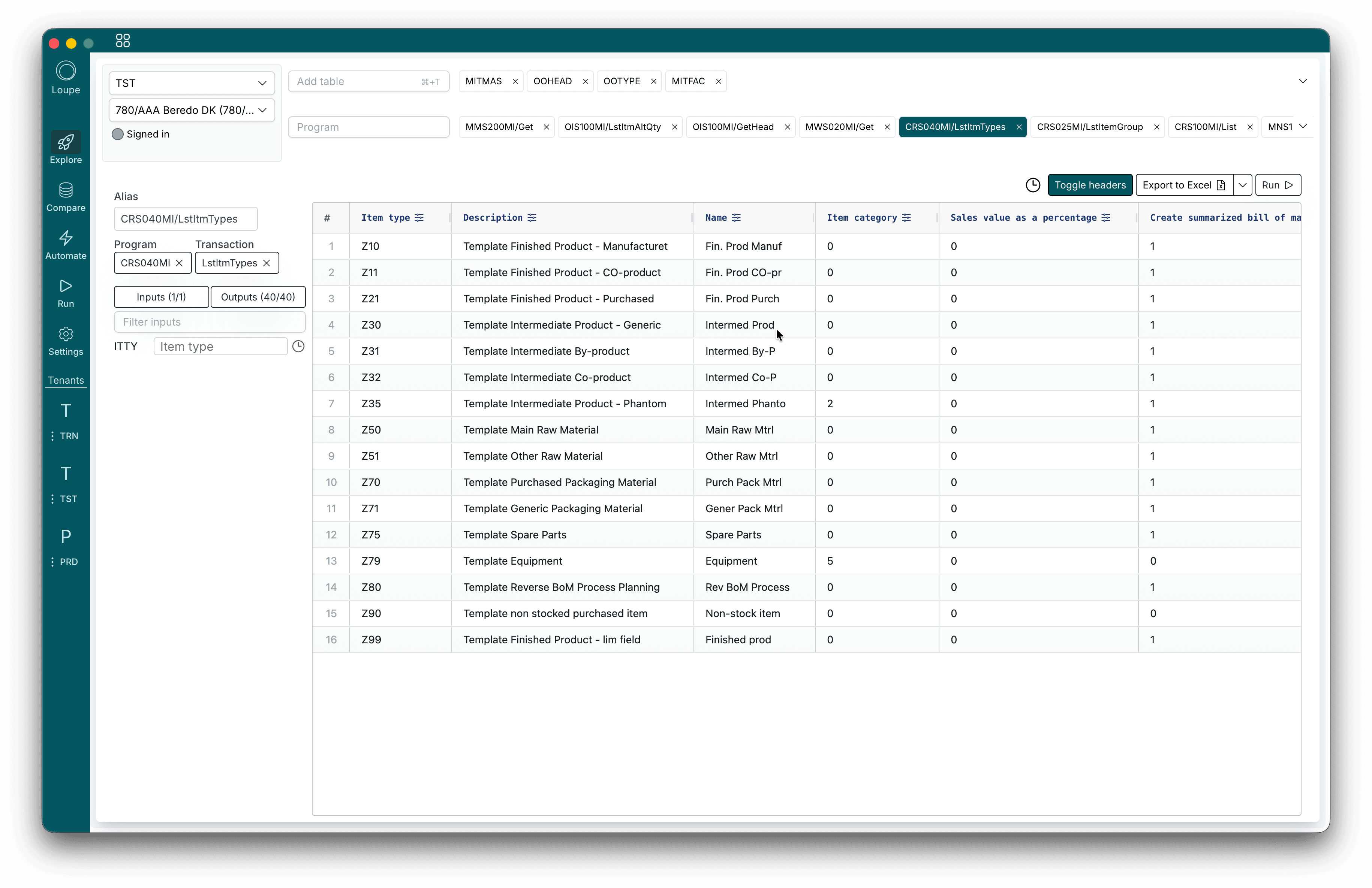
Search every MI program and transaction in your M3, fill in the inputs, and run it. The response lands in a grid, not a wall of JSON.
- Required inputs marked. See which fields a transaction needs before you run it.
- Names or descriptions. Switch the column headers between field codes and their descriptions.
- Response history. Every run is kept with its inputs and result, and one click brings it back.
- Field history. Values you typed before are offered again, per field.
Save the ones you use every day
Explore is for questions. When a set of transactions becomes part of the job, put them in a collection in Run: named, saved, and shared with the team, with the same grid and history. When they need to run in sequence over many rows, that is an automation.
Questions about Explore
- Is the data live?
- Yes. Loupe reads straight from your M3 through its APIs every time you run a table or a transaction, so changes in M3 show up immediately.
- Can I run any MI transaction?
- Any transaction your M3 user is allowed to run. Search by program or transaction, fill in the inputs, and see every output field in a grid.
- Do I have to save anything?
- No. Explore is scratch space. Open as many tabs as you like, and they are there when you come back. When you want to keep and share a set of transactions, put them in a collection in Run.
- Can I get the data into Excel?
- Yes. Every table and every transaction result exports to Excel or CSV in one click.
Find anything in your M3.
Download Loupe, sign in with your M3 user, and open the first table in under a minute.