The Infor M3 workbench
Compare, automate, explore and build on Infor M3.
Loupe is the desktop app M3 teams use to check configuration across environments, run bulk updates, find any record, and build new H5 apps with AI. One app, every environment, hours back every week.
Four tools, one app
Everything you need to get control of M3.
Most M3 work is finding things, checking things and changing a lot of things at once. Loupe gives each of those a tool, and adds a fourth for building what M3 does not do yet.
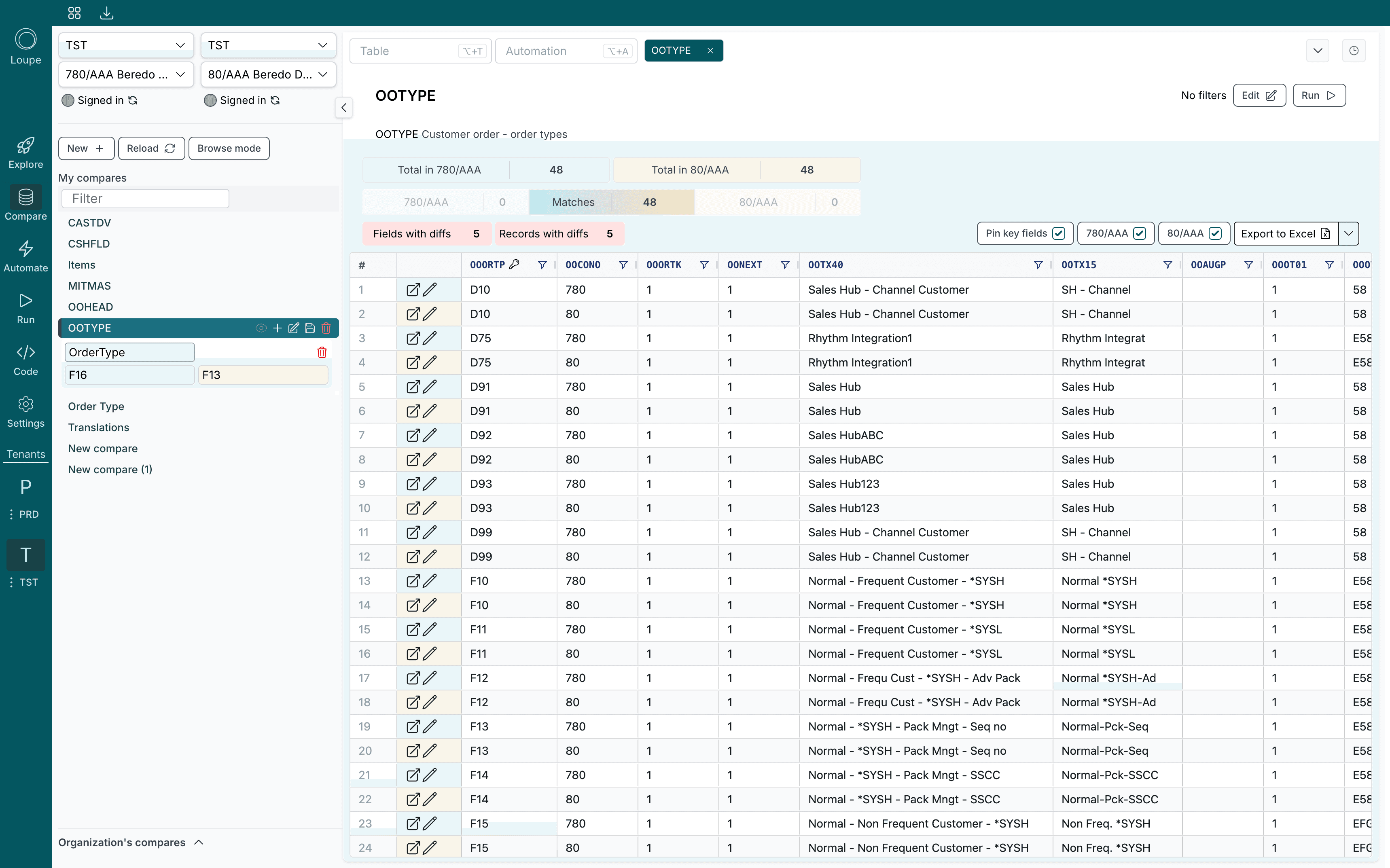
Compare
M3 tables side by side across environments, companies and divisions.
Learn more
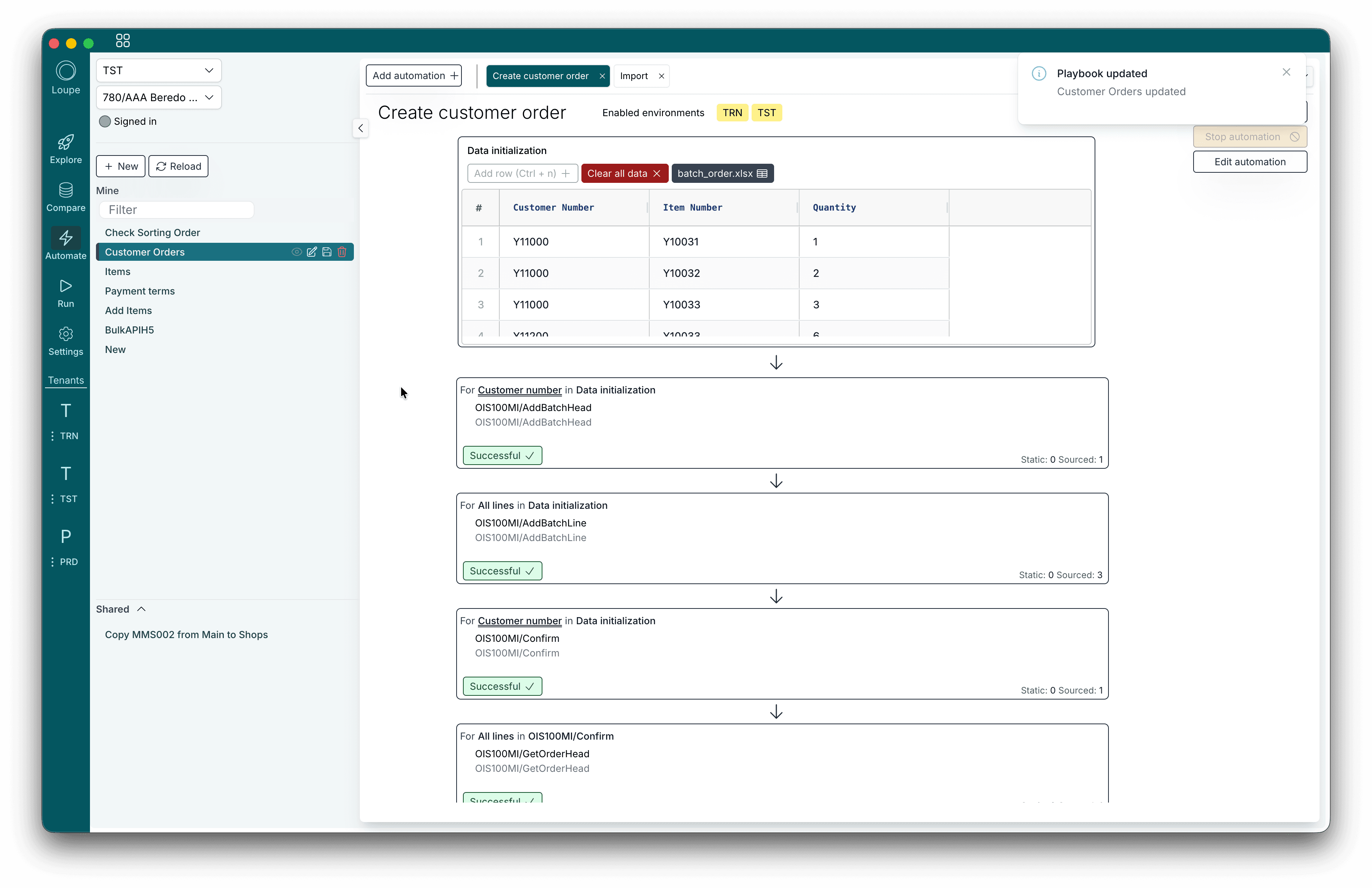
Automate
Bulk M3 API transactions driven by a spreadsheet, step by step.
Learn more
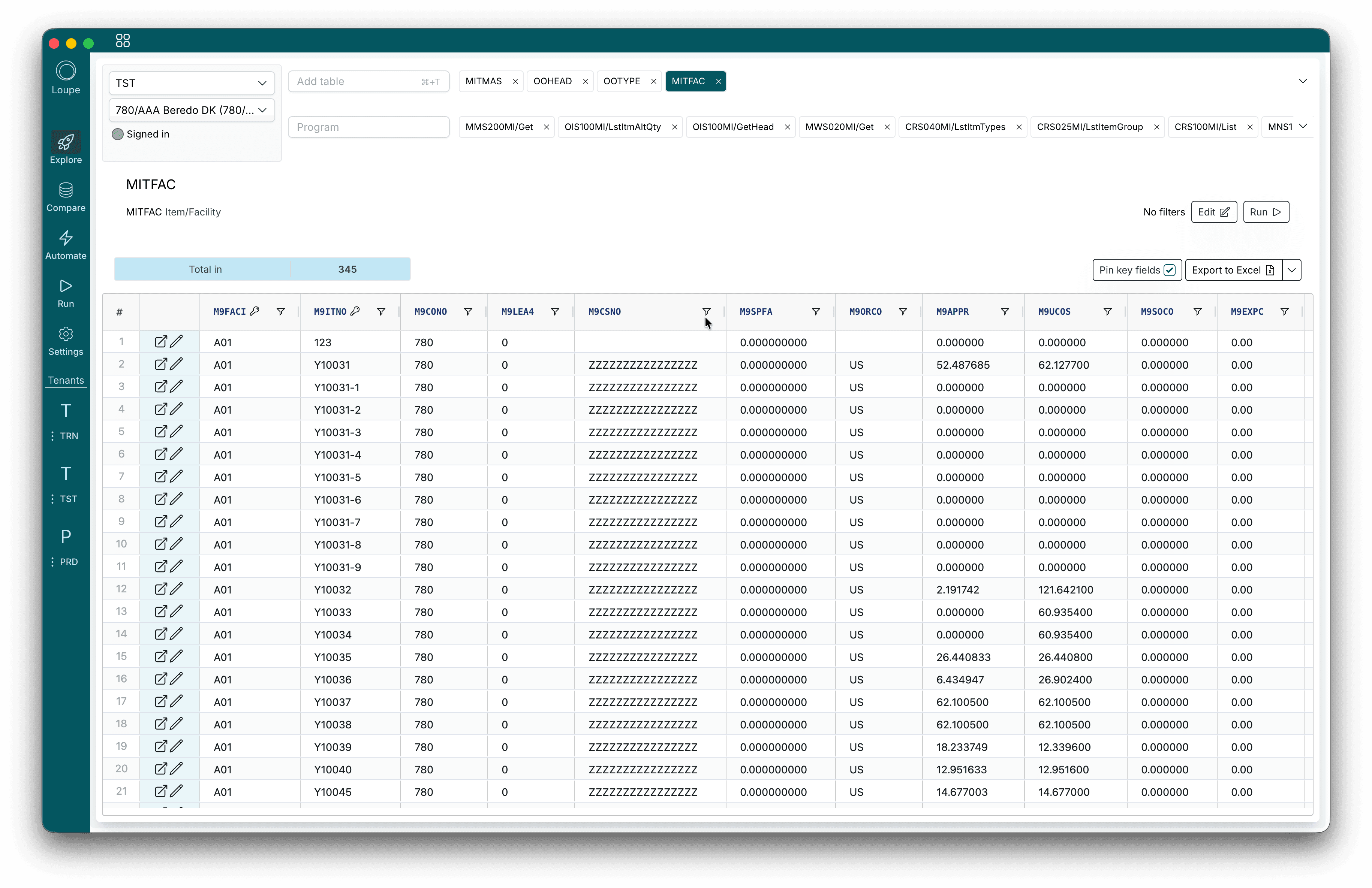
Explore
Browse any M3 table and run any MI transaction, live.
Learn more
Code
AI that builds H5 apps, H5 scripts and XtendM3 extensions.
Learn more
Compare
See what differs between environments.
Put any M3 table from two environments, companies or divisions side by side. Loupe matches the rows on their keys and shows you exactly which records and fields differ.
Automate
Bulk updates without the busywork.
Chain M3 API transactions into an automation, feed it a spreadsheet, and let it run every row. Price lists, item rollouts, test data and migrations, done in minutes.
Explore
Every table and API, one search away.
Open any M3 table, filter it, and export it to Excel. Run any MI transaction with its real inputs and outputs, and keep the ones you use in tabs.
Loupe Code
Build what M3 does not do yet.
Describe the H5 app, H5 script or XtendM3 extension you need. Loupe Code builds it from the transactions and fields in your own M3, you preview it on your live environment, and what comes out is standard M3 extensibility you own.
- H5 apps: whole screens, with M3 roles and every language.
- H5 scripts: changes to standard screens, placed by clicking.
- XtendM3: transactions, tables and triggers.
- AI for Infor M3: what AI that builds looks like in M3.
- What you keep: against low code platforms, AI builders and projects.
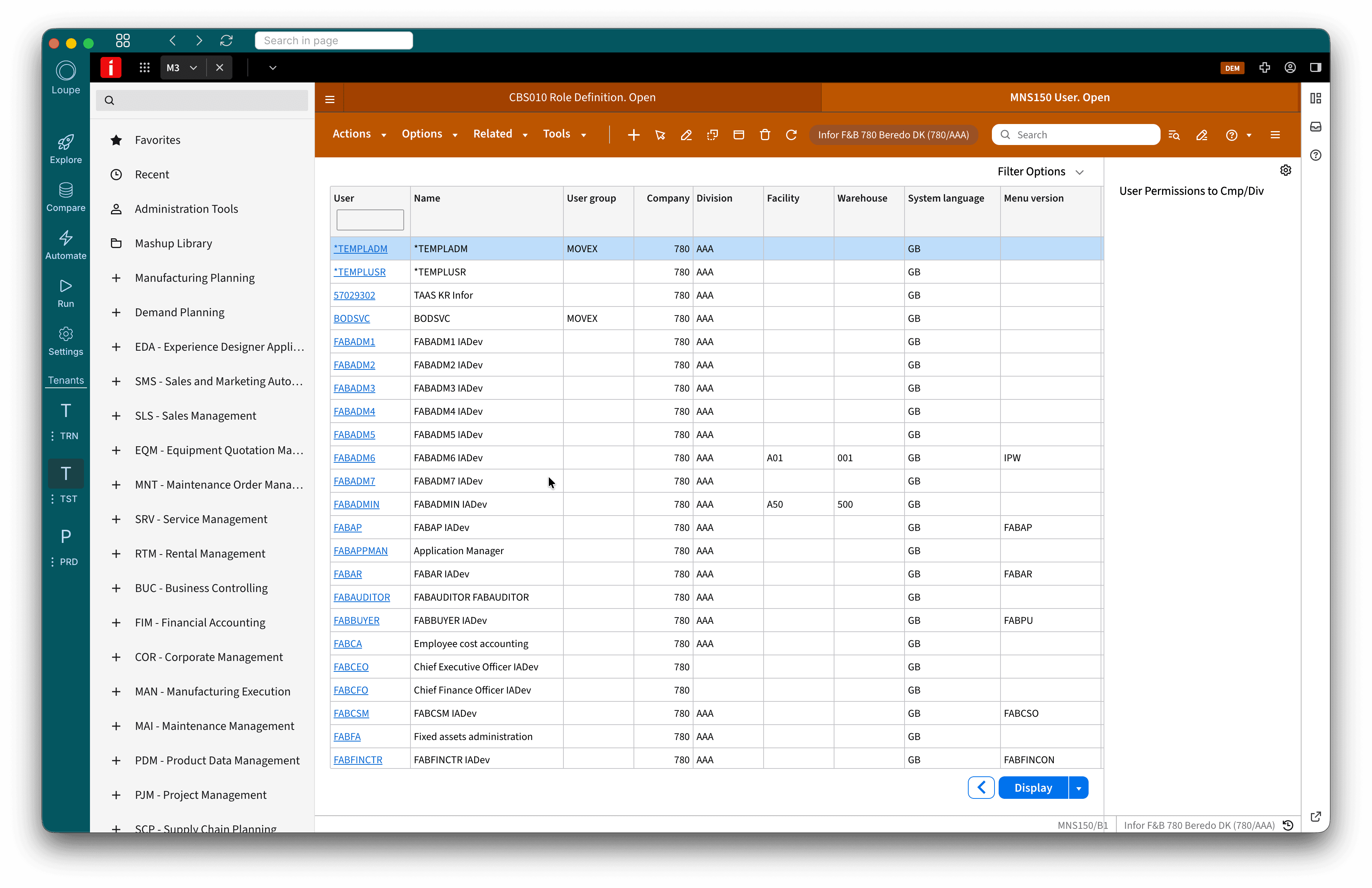
Every environment
TST, PRD and TRN, in one window.
Sign in to all your M3 environments once and switch between them with a click. Open M3 itself inside Loupe, next to the data you are looking at, and jump from a record in Loupe straight to it in M3.
Built for the system that runs your business.
Loupe works the way your M3 already does, so there is nothing new to govern.
Your M3 user, your M3 rights
Every call runs as the person signed in, so M3 security decides what they can see and change.
Straight to M3
Your M3 data travels between the desktop app and M3. We do not see which tables you open or which APIs you run.
Unlimited users
One licence for the company. Give read only access to everyone who needs answers from M3.
Cloud and on premises
Works with Infor M3 CloudSuite, and on premises from 13.4 with Infor OS.
Pricing
One licence. The whole company.
10 000 EUR a year for unlimited users, every M3 environment, and Loupe Code included. Building with Code adds usage costs, with limits you set.
Get Loupe on your desktop.
Loupe runs on Windows and macOS. Download it, sign in, and add your M3 environments.
See it on your own M3.
Bring an environment and we will show you Compare, Automate, Explore and Code on your own data.